The Well Wishes Book
Every approved wish becomes a page in your Well Wishes Book: the drawing, its animated version, the guest's words, their signature and a QR to hear their voice note, with your reply printed underneath.
Open your book#
From the After tab tap Open the book, or go to aine.cam/book/CODE. The book opens with your cover and The couple's page, then one page per wish.
- Save as PDF prints the whole book or saves it as a PDF.
- Each printed voice note has a QR that plays the guest's recording at its own link.
- On a paid plan the book stays online at its own link indefinitely.
Choose the design#
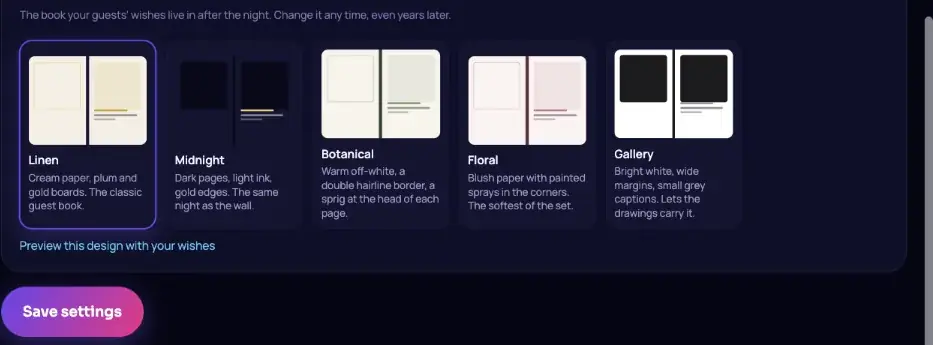
In Settings › Well Wishes Book choose Linen (cream paper, plum and gold), Midnight (dark pages, gold edges), Botanical (warm off-white with a sprig), Floral (blush paper with painted sprays) or Gallery (bright white, wide margins). Preview with your own wishes and change it any time, even years later.
Write your page and replies#
- The couple's page: in the Album tab, write a dedication of up to 1,200 characters and a sign-off. It is printed right after the cover.
- Reply in the book: answer any wish in up to 400 characters. The reply is printed under the wish and also reaches that guest's keepsake.
A printed copy#
Tap Printed copy on the After tab, add any notes and tap Ask for a quote. The AINE team replies by email with a price and how long it takes.
Still stuck? A person answers every email, usually within one working day.
Email support@aine.cam