After the event
Event report
A one-page A4 summary made to keep, share with your team or send to a client. Open it from the After tab with Open report.
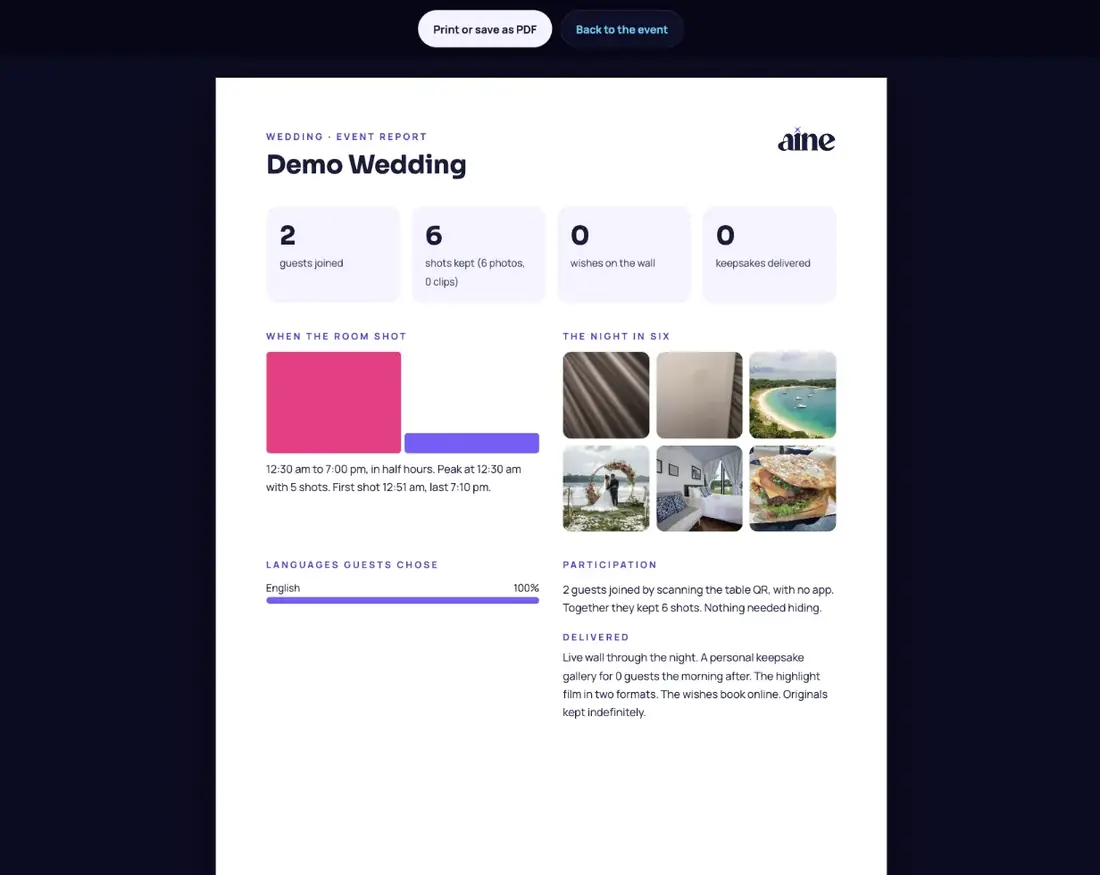
What the report shows#
- Headline numbers: guests joined, shots kept (photos and clips), wishes on the wall and keepsakes delivered.
- When the room shot: a chart in half-hour blocks with the peak and the first and last shot.
- The night in six: the top six photos.
- Languages guests chose.
- Participation: how guests joined, magic frame use, how much needed hiding, crew codes and screens.
- Delivered: what your plan delivered, from the live wall to keepsakes, film and book.
Tap Print or save as PDF. Only the host and co-hosts can open the report.
For corporate and community events
Set an Organiser or brand name in Settings and it appears on the report and the wall badge, which is handy when the report goes to a client or committee.
Still stuck? A person answers every email, usually within one working day.
Email support@aine.cam